
eSIM Europe 

is everything
Europe
Europe eSIM: stay connected across borders
Planning Paris, Rome and Barcelona in one trip? A Europe eSIM gives you mobile data in multiple countries on one plan, so you can land, switch on and use maps, rideshare and translation apps without hunting for a local SIM in every country.
Great things are on the horizon
Something big is brewing! Our store is in the works and will be launching soon!
Choosing a Europe eSIM
Check the country list
Regional plans differ in coverage. Most include the EU countries, but the UK, Switzerland, Norway, Iceland and the Balkans are not always included, so check every country on your route before you buy.
How much data do you need?
Maps, messaging and light browsing use about 0.5–1GB a day. Streaming, video calls or hotspotting use far more. Two weeks of normal sightseeing usually fits in 10–20GB; heavy users are better off with an unlimited plan.
Trains, ferries and borders
On cross-border trains the eSIM switches networks automatically. Coverage can drop in tunnels, mountain passes and at sea, so download offline maps and your tickets before you travel.
Calls and SMS codes
Most travel eSIMs are data only. Keep your US SIM switched on as a second line for bank and two-factor codes, and use WhatsApp or FaceTime for calls.
Frequently asked questions
Does my phone support eSIM?
Most iPhones from the XS/XR onwards and recent Google Pixel and Samsung Galaxy phones support eSIM, as long as the phone is carrier-unlocked. On iPhone, look for "Add eSIM" under Settings → Cellular.
Is one Europe eSIM enough for several countries?
Yes, if every country on your trip is in the plan's coverage list. That is the main advantage over buying a local SIM in each country.
When should I install it?
Install it on Wi-Fi at home a day or two before you fly, then turn on data roaming for the eSIM when you land.
Will my US carrier charge me roaming fees?
Not if you set the eSIM as your data line and turn off data roaming on your US line. Check your carrier's international settings before you leave.
Do I get a European phone number?
Data eSIMs don't include a local number. If you need one for bookings or deliveries, look for a plan that includes a number.
What about entry rules for Europe?
Entry requirements for US citizens, including the EES and ETIAS systems, change over time. Check the official EU travel pages before you book.
eSim Help Center
Get a Traveller and we are here to help
Save with the largest regions in market
One eSim to cover all your destinations is seamless and cost effective.



More Travel Agents are recommending Traveller eSim to their clients
- No Apps or signup: With no registration requirements and no apps, Traveller eSIM is fast, easy and secure.
- 100% satisfaction guarantee: With our "no questions asked" policy you can relax with your eSIM purchase.
-
Low cost options: To help travellers who just need a short term eSIM or to test the network, we offer very small inexpensive options for most regions.
- Customer success team: Our UK and Australian service teams go beyond to help our customers with timely activation and data saving tips.
- Trusted Networks: Partnering with generational leaders in eSIM technologies like AT&T, Optus and Vodaphone, we confidently offer outstanding service to our customers.
Installing your eSIM is easy
Just scan the QR code with your camera to start or use the methods below.

Our eSIM Tips for first time users
- Just get the data that you need. You can get another eSim if you run low 24 hours a day.
- Purchase your eSim before you travel. Have your codes or QR code handy to activate just before you arrive. Don't worry your eSIM only starts on activation.
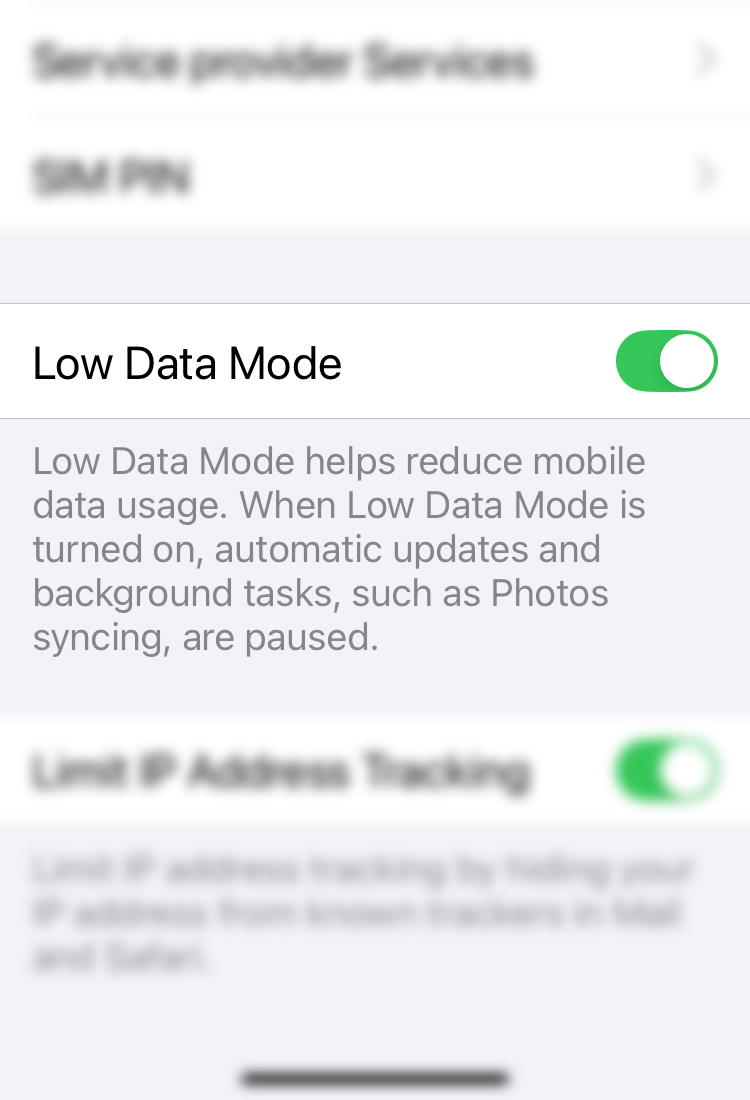
- Turn on Low Data Mode for all your installed eSIM networks. Data savings can be as much as 80%.
- At the end of the day, when you are returning to your accomodation, turn off your eSIM. Ensure that you are using the available wi-fi services. Be careful though as public wi-fi can have some risks.
- To stay in contact with friends and family utilize apps like WhatsApp, Telegram and Signal.
- Before you travel, download content for offline use. Netflix and Spotify allow you to do this.
- Google Chrome has a data saver feature that can reduce data usage by up to 50%. Disable auto-play videos in Facebook, Instagram and other apps.

"Google. Find me a coin laundry in Paris"