
eSIM Japan 

is everything
Japan

Japan eSIM: data for your trip, ready before you land
From Tokyo's train maps to restaurant translations in Kyoto, Japan is a trip where mobile data does a lot of the work. A Japan eSIM gets you online when you land at Narita, Haneda or Kansai, without queuing for a SIM or carrying a pocket Wi-Fi.
Great things are on the horizon
Something big is brewing! Our store is in the works and will be launching soon!
Choosing a Japan eSIM
eSIM or pocket Wi-Fi?
An eSIM lives in your phone, so there's nothing to charge, carry or return at the airport. Pocket Wi-Fi can make sense for a group sharing one connection, but each person carries their own data with an eSIM.
How much data do you need?
Navigating trains and subways, translating menus and messaging use about 1GB a day. Uploading photos and video calls use more. For a week or longer with heavy use, an unlimited plan is the easy choice.
Coverage outside the cities
Japan's networks are excellent in cities and along the main rail lines. Coverage can be thinner in remote mountain areas and smaller islands, so download offline maps before day trips.
Calls, SMS and IC cards
Most Japan eSIMs are data only. Keep your US SIM active for bank codes, and add a Suica or PASMO card to Apple Wallet or Google Wallet for trains and convenience stores.
Frequently asked questions
Does my phone support eSIM?
Most iPhones from the XS/XR onwards and recent Pixel and Galaxy phones support eSIM, as long as the phone is carrier-unlocked. Check your phone's SIM settings for "Add eSIM".
When should I install my Japan eSIM?
Install it on Wi-Fi before you leave the US, then switch it on for data when you land. Most plans start counting days when they first connect in Japan.
Do I get a Japanese phone number?
Data eSIMs don't include a Japanese number. Use LINE, WhatsApp or FaceTime for calls, and keep your US line on for SMS codes.
Is an eSIM better than airport Wi-Fi rental?
For most solo travelers and couples, yes: no deposit, no device to return and no battery to keep charged. Groups who share everything may still prefer one pocket Wi-Fi.
Will Google Maps work for trains in Japan?
Yes. Google Maps shows train and subway routes, platforms and fares in Japan, which is one of the main reasons to have data on arrival.
What if I run out of data?
You can buy a top-up or a second plan and add it to your phone in minutes.
eSim Help Center
Get a Traveller and we are here to help
Save with the largest regions in market
One eSim to cover all your destinations is seamless and cost effective.



More Travel Agents are recommending Traveller eSim to their clients
- No Apps or signup: With no registration requirements and no apps, Traveller eSIM is fast, easy and secure.
- 100% satisfaction guarantee: With our "no questions asked" policy you can relax with your eSIM purchase.
-
Low cost options: To help travellers who just need a short term eSIM or to test the network, we offer very small inexpensive options for most regions.
- Customer success team: Our UK and Australian service teams go beyond to help our customers with timely activation and data saving tips.
- Trusted Networks: Partnering with generational leaders in eSIM technologies like AT&T, Optus and Vodaphone, we confidently offer outstanding service to our customers.
Installing your eSIM is easy
Just scan the QR code with your camera to start or use the methods below.

Our eSIM Tips for first time users
- Just get the data that you need. You can get another eSim if you run low 24 hours a day.
- Purchase your eSim before you travel. Have your codes or QR code handy to activate just before you arrive. Don't worry your eSIM only starts on activation.
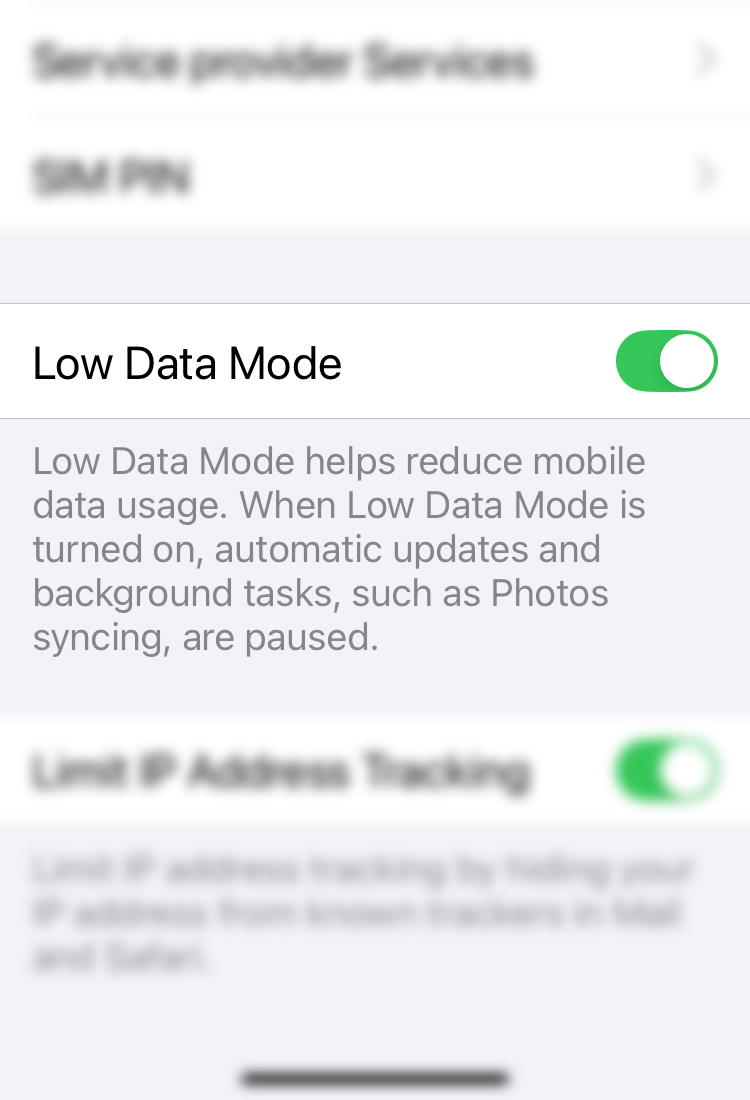
- Turn on Low Data Mode for all your installed eSIM networks. Data savings can be as much as 80%.
- At the end of the day, when you are returning to your accomodation, turn off your eSIM. Ensure that you are using the available wi-fi services. Be careful though as public wi-fi can have some risks.
- To stay in contact with friends and family utilize apps like WhatsApp, Telegram and Signal.
- Before you travel, download content for offline use. Netflix and Spotify allow you to do this.
- Google Chrome has a data saver feature that can reduce data usage by up to 50%. Disable auto-play videos in Facebook, Instagram and other apps.

"Google. Find me a coin laundry in Paris"