
Travel eSIM for the USA 

is everything
the USA



eSIM for USA travel: online before you land
Pick a plan, scan a QR code and you're online the moment you land in the United States. No store queues, no roaming bills, and you keep your own SIM for calls and texts from home.
Great things are on the horizon
Something big is brewing! Our store is in the works and will be launching soon!
Before you fly
Set up your eSIM for USA travel in 3 steps
Install at home
Scan the QR code on Wi-Fi a day or two before you fly. Installing early means no hunting for airport Wi-Fi when you land.
Label your lines
Name the new line "USA data" and keep your home line on for calls and SMS codes. Turn off data roaming on your home line so it can't run up charges.
Switch on when you land
Turn on the eSIM line and its data roaming as the plane taxis in. You're online before baggage claim, ready for maps and a ride.
Trip by trip
Which plan suits your kind of USA trip?
City breaks
New York, Las Vegas, Chicago or San Francisco. Wi-Fi is everywhere in hotels and cafés, so a fixed-data plan is usually enough for maps, rides and messaging.
Road trips and national parks
Route 66, Yellowstone, the Grand Canyon or Utah's parks. Navigation runs all day, so unlimited data is the stress-free choice. Download offline maps for stretches with no signal.
Florida theme parks
Park apps, ride wait times, mobile food orders and photo uploads add up fast. Lean towards a bigger plan or unlimited.
Hawaii and Alaska
Both are covered by the US networks, so a USA plan works. Puerto Rico and the US Virgin Islands are often sold separately, so check the coverage list.
Longer stays
Studying, working remotely or visiting family for a month or more? Choose a 30-day plan and top up if you need to, rather than buying a new eSIM each week.
Also visiting Canada?
Seattle to Vancouver, New York to Niagara or an Alaska cruise that calls in Canada: one North America plan covers the whole route.
North America eSIM ›Compare your options
Travel eSIM vs roaming vs an airport SIM
| Travel eSIM | Home carrier roaming | SIM bought on arrival | |
|---|---|---|---|
| Set up before you fly | – | ||
| Online the moment you land | After you find a store | ||
| Keep your home number for SMS codes | Only on dual-SIM phones | ||
| Cost | Fixed, paid up front | Daily fees add up on longer trips | Depends on the store and plan |
| Nothing to collect or return | – |
Roaming terms vary by US carrier and plan. Check yours before you travel.
Arrival checklist
Before you land in the USA
- ESTA or visa sorted. Most visitors from Visa Waiver Program countries need an approved ESTA before boarding. Apply only through the official CBP website, and check the requirements before you book.
- Ride and map apps ready. Install Uber or Lyft and download offline Google Maps for the areas you'll visit, so you can get from the airport even before your data kicks in.
- Know the networks. The main US networks are AT&T, T-Mobile and Verizon. Travel eSIMs connect through one or more of them, and coverage thins out in remote parks and deserts.
- Wi-Fi calling on. If your home carrier supports it, turn on Wi-Fi calling for your home line so calls and texts can still reach you over hotel Wi-Fi.
- Payment and tipping. Cards and phone wallets work almost everywhere. Tipping is expected in restaurants, taxis and for hotel staff, so budget for it.
- Charge up. US outlets are type A and B at 120V. Most phone chargers handle it, but you may need a plug adapter.
Choosing a travel eSIM for the USA
How much data do you need?
Maps, messaging and light browsing use about 0.5–1GB a day. Streaming, video calls or using your phone as a hotspot can use 2–3GB a day or more. A week of normal use usually fits in 5–10GB; for road trips and heavy use, an unlimited plan is the stress-free option.
Fixed data or unlimited?
Fixed plans are the cheapest when you know your usage. Unlimited plans charge per day and suit longer trips and heavy users, but most slow down after a daily high-speed allowance, so check the plan details before you buy.
Coverage in national parks and rural areas
Cities and highways are well covered. Coverage thins out in national parks, deserts and mountain areas, as it does for every network. Download offline maps before you head into places like Yellowstone, Death Valley or Utah's parks.
Puerto Rico, Hawaii and Alaska
Hawaii and Alaska are part of the US networks. Puerto Rico and the US Virgin Islands are often sold as separate destinations, so check that your plan lists them if they're on your route.
Frequently asked questions
Does my phone support eSIM?
Most iPhones from the XS/XR onwards, recent Google Pixel and Samsung Galaxy phones support eSIM. Your phone must also be carrier-unlocked. On iPhone, check Settings → General → About for "Available SIM"; on Android, look for "Add eSIM" in your SIM settings.
What's the best eSIM for USA travel?
The best travel eSIM for the USA is the one that matches your trip: enough data for how you use your phone, coverage on the major US networks, and the right length of plan. For short city breaks a fixed-data plan is usually best value; for road trips and longer stays, an unlimited plan avoids running out.
When should I install my USA eSIM?
Install it at home on Wi-Fi a day or two before you fly, then switch it on for data when you land. Most plans only start counting days once they connect to a US network.
Will I get a US phone number?
Data eSIMs give you mobile data, not a US number. You can still call and message over WhatsApp, FaceTime or other apps, and keep your home SIM active for SMS codes from your bank.
Can I use my phone as a hotspot?
Many plans allow tethering, but not all. Check the plan details before you buy if you need to connect a laptop or tablet.
What if I run out of data?
You can buy a top-up or a second plan and add it to your phone in minutes, without changing your settings.
Will my eSIM work on a cruise?
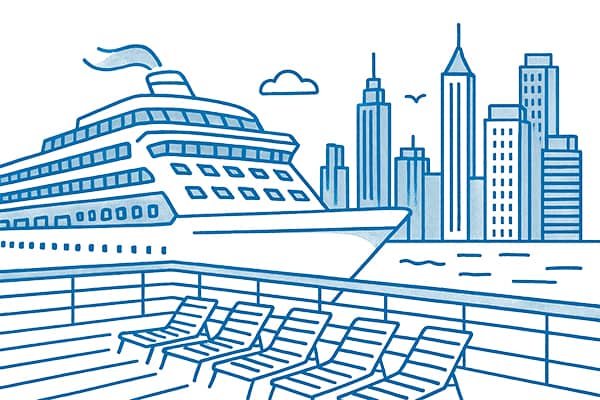
In US ports, yes. At sea, phones connect to the ship's own satellite network, which is charged separately by the cruise line or your home carrier, so put your phone in airplane mode once you leave port. Alaska cruises that call in Canada are better covered by a North America plan.
Can I keep my WhatsApp number?
Yes. WhatsApp stays linked to the number you registered it with, so switching your data to a travel eSIM doesn't change your WhatsApp number, chats or contacts.
Does the eSIM work in Canada too?
USA plans work in the United States only. If your trip crosses into Canada, choose a North America plan that covers the USA and Canada together.
eSim Help Center
Get a Traveller and we are here to help
Save with the largest regions in market
One eSim to cover all your destinations is seamless and cost effective.



More Travel Agents are recommending Traveller eSim to their clients
- No Apps or signup: With no registration requirements and no apps, Traveller eSIM is fast, easy and secure.
- 100% satisfaction guarantee: With our "no questions asked" policy you can relax with your eSIM purchase.
-
Low cost options: To help travellers who just need a short term eSIM or to test the network, we offer very small inexpensive options for most regions.
- Customer success team: Our UK and Australian service teams go beyond to help our customers with timely activation and data saving tips.
- Trusted Networks: Partnering with generational leaders in eSIM technologies like AT&T, Optus and Vodaphone, we confidently offer outstanding service to our customers.
Installing your eSIM is easy
Just scan the QR code with your camera to start or use the methods below.
Our eSIM Tips for first time users
- Just get the data that you need. You can get another eSim if you run low 24 hours a day.
- Purchase your eSim before you travel. Have your codes or QR code handy to activate just before you arrive. Don't worry your eSIM only starts on activation.
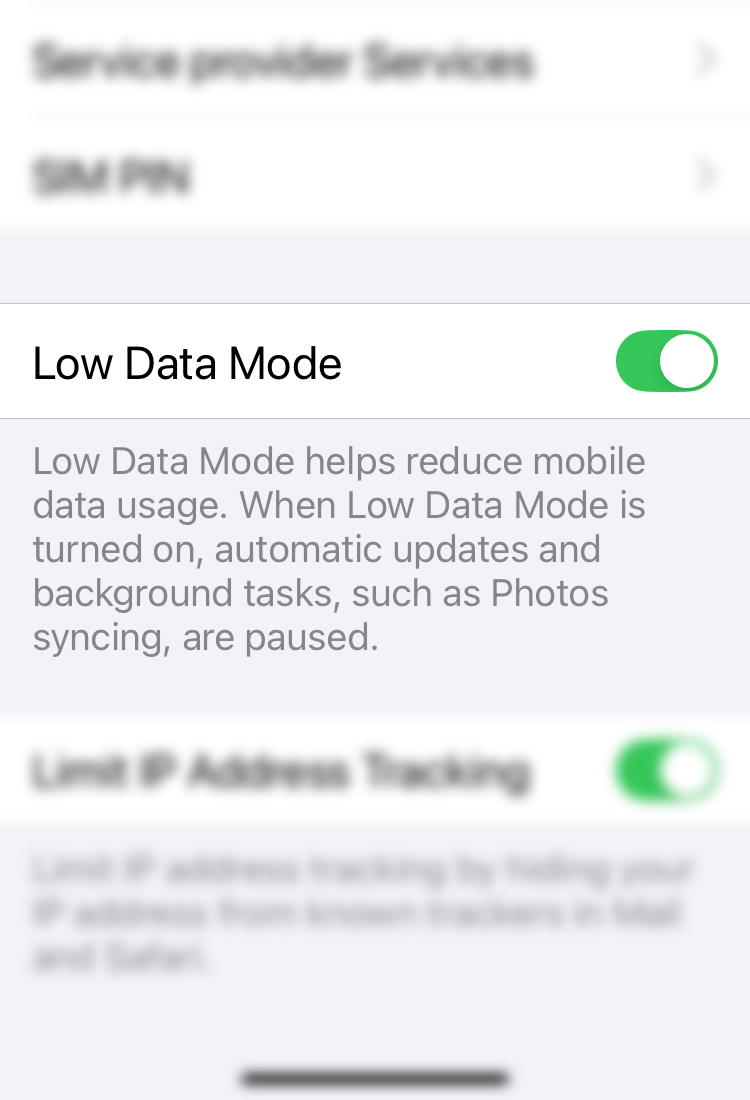
- Turn on Low Data Mode for all your installed eSIM networks. Data savings can be as much as 80%.
- At the end of the day, when you are returning to your accomodation, turn off your eSIM. Ensure that you are using the available wi-fi services. Be careful though as public wi-fi can have some risks.
- To stay in contact with friends and family utilize apps like WhatsApp, Telegram and Signal.
- Before you travel, download content for offline use. Netflix and Spotify allow you to do this.
- Google Chrome has a data saver feature that can reduce data usage by up to 50%. Disable auto-play videos in Facebook, Instagram and other apps.

"Google. Find me a coin laundry in Paris"